
From 2.0.76 most lists in Chiral Cloud are archived rather than deleted. An archived item is no longer offered when you choose from a list, but anything that already uses it keeps it: an old appointment keeps its type and colour, and a patient keeps their journey stage. You can always bring an archived item back.
1. Housekeeping lists
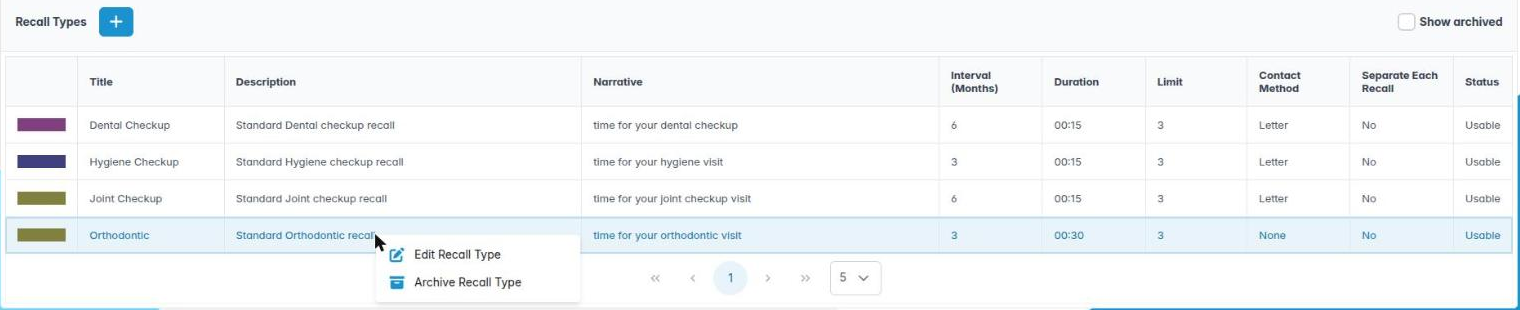
This applies to Appointment Types, Diary Event Types, Recall Types, Cancellation Reasons, Treatment Codes, Patient Journey Stages and Document Classifications. The example below uses Recall Types.
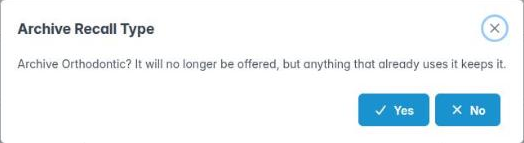
To archive, right-click the item and choose Archive, for example Archive Recall Type. Click Yes to confirm.
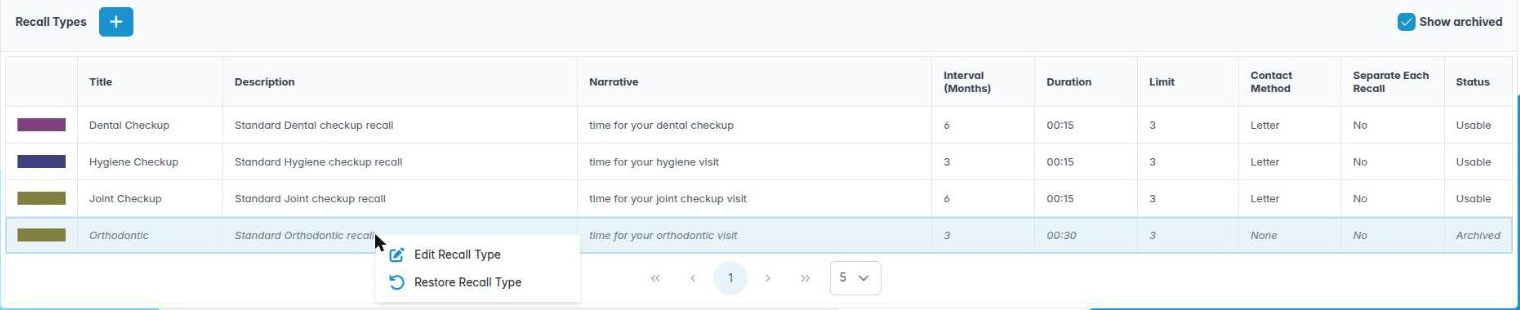
To see archived items, tick Show archived above the list. Archived items are shown in grey italics, and the Status column says Archived.
To bring one back, right-click it and choose Restore, for example Restore Recall Type, then click Save on the Housekeeping toolbar.
2. Patient documents and images
A patient’s documents and images are archived in the same way: right-click and choose Archive (for example Archive Patient Document or Archive this image). They stay in the patient’s record; tick Show archived on the tab to see them, marked Archived, and right-click one and choose Restore Document to bring it back. See Patient images: upload, edit and composites.