
Patient journey stages track their journey through their treatment at the clinic. This is particularly useful for long-term treatment regimes such as Orthodontics or Implantology.
The journey stages are added/edited/archived via the housekeeping feature.
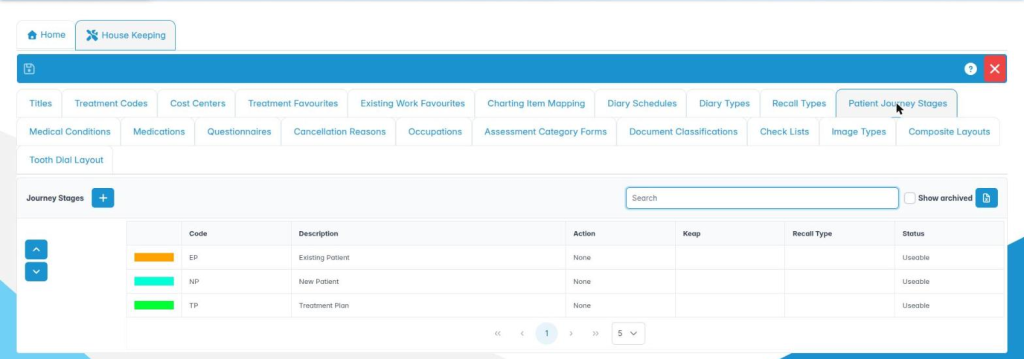
This page shows all the available journey codes and allows the user to add, edit and archive journey codes from the list.
They can also change the order in which they appear in drop-down lists using the select and up and down arrows on the left of the list.
To add a new journey code use the + button in the tool bar.
The select and context menu on the mouse’s right button allows the user to edit or archive an item from the list.

Archive a journey stage when it is no longer to be used: it is then no longer offered, and you can show it again by ticking Show archived. Journey stages can also be archived from the edit dialog.
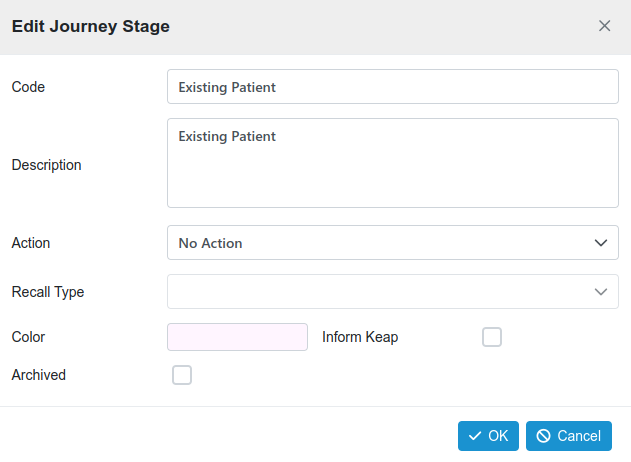
The add/edit dialogue allows the name and description of the journey stage to be defined, an action associated and an identifying colour to be set.
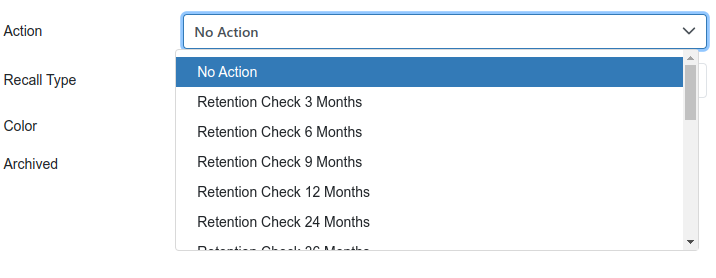
The action associated with the journey stage can be selected via the drop-down menu.
Having added or edited a journey code, always remember to press the save icon in the housekeeping toolbar. It is also advised to log out and back into Chiral Cloud to load the changes.
